
Time at a glance
A display dedicated to the time, designed to stay easy to read, in analog or digital.
MOBILE APP · IN DEVELOPMENT
Time, simply.
A simple clock that keeps the time visible on your phone, without sleep mode interrupting the display.
Discover the appONE APP, ONE PURPOSE
Put your phone down and keep an eye on the time: that’s the idea behind Forever Clock. An app built around a simple need, turning your phone into a clock while you use it.
A display dedicated to the time, designed to stay easy to read, in analog or digital.
Keeping the screen on is at the heart of the project, for as long as you use the clock.
An experience built around the essentials: showing the time, with no detours.
A FIRST GLIMPSE
NEED HELP?
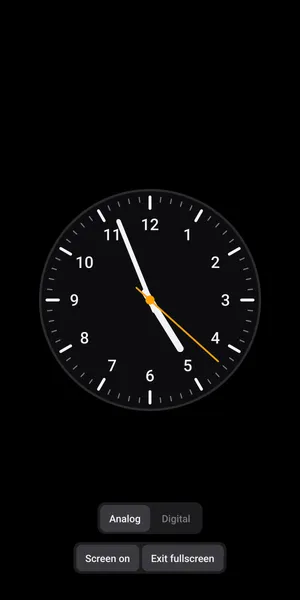
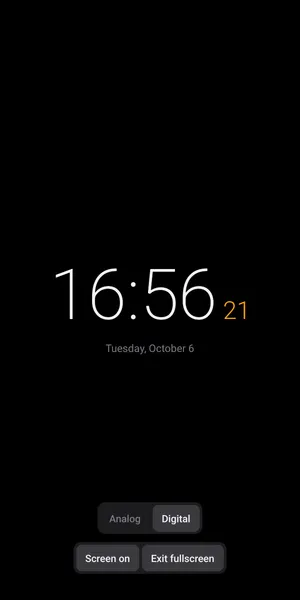
Use the “Analog” and “Digital” buttons at the bottom of the screen. Your choice is remembered the next time you open the app.
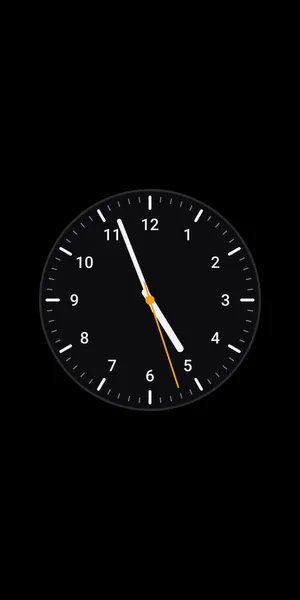
In fullscreen mode, the controls are hidden so that only the clock is visible. Tap anywhere on the screen to show them for a few seconds. To leave fullscreen mode, tap “Exit fullscreen”.
When “Screen on” is enabled, your screen does not turn off automatically while Forever Clock is open. Tap the button again to switch to “Auto sleep” and let your device follow its usual sleep settings. You can still lock your device at any time.
Keeping the screen on uses more battery, so we recommend keeping your device plugged in when using the app as a desk or bedside clock.
On OLED screens, showing the same image for many hours can cause burn-in. The clock uses a black background, which limits the risk. For long use, lower the screen brightness.
Forever Clock is available in English and French and follows your device language. You can also choose a language for this app only:
Not yet: the digital clock uses the 24-hour format. This is planned for a future version.
No. Forever Clock works offline and does not collect or share any data. See the privacy policy below.
Found a bug? Write to contact@sleepy-volcano.com. Please include your device model, your iOS or Android version, and a short description of the problem.
YOUR DATA
Forever Clock
Effective date: October 6, 2026
In short: Forever Clock does not collect, store or share any personal data. It has no account, no ads, no analytics and no tracking, and it does not send any data over the internet.
Forever Clock is a clock app for iOS and Android developed by Clément Franch (Sleepy Volcano). For any question about this policy, write to the address below.
Contact: contact@sleepy-volcano.com.
None. Forever Clock does not ask for your name, email address, location, contacts or any other personal information, and it does not create any identifier for you or your device.
The app saves your display preferences on your device only, so they are kept between launches:
These preferences never leave your device and are not sent to us or to anyone else. They are deleted when you uninstall the app. If you use your phone’s backup feature (iCloud on iOS, Google backup on Android), they may be included in that backup, which is managed by Apple or Google under your own account.
Forever Clock works entirely offline and does not make any network request. It does not request access to your camera, microphone, location, photos, contacts or files.
The app does not include any third-party advertising, analytics or tracking service, and we do not sell or share any data.
Apple (App Store) and Google (Google Play) may collect information when you download or use apps, such as download statistics or crash reports you agree to share. This is governed by their own privacy policies, not by this one.
Forever Clock does not collect any data from anyone, including children under 13.
If this policy changes, for example because a future version adds a feature that handles data, the updated version will be published on this page with a new effective date.
KEEP EXPLORING